Smart Home for Beginners: 7 Devices Actually Worth Buying First
Starting a smart home does not require buying a kit, picking the right ecosystem first, or spending a lot of money. It requires buying the right seven things in roughly the right order — and understanding why some categories can wait.
Quick Answer
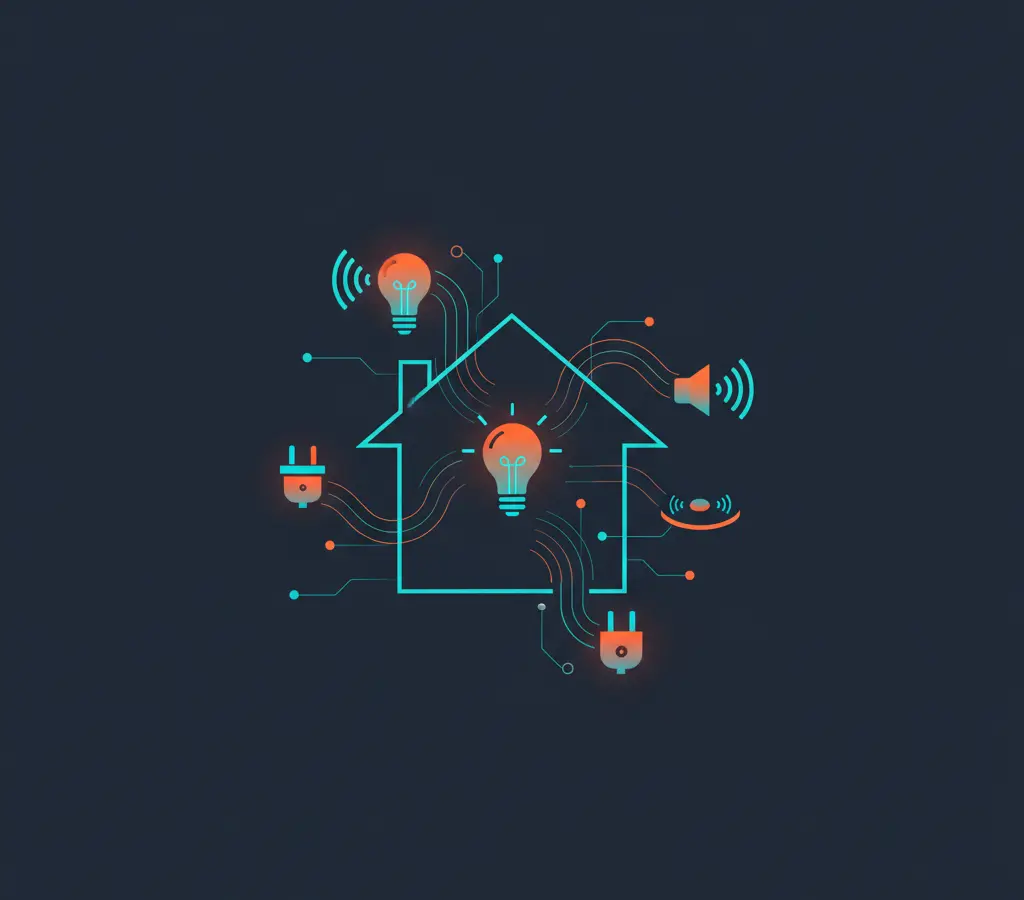
Start with a smart speaker or hub to anchor your ecosystem, then add smart bulbs and a smart plug for immediate utility. A video doorbell, indoor camera, and smart thermostat follow naturally. A leak sensor or smart smoke detector adds real safety value. Do those seven things well before going further.
In this article
Key Takeaways
- Pick one primary ecosystem (Alexa, Google Home, Apple HomeKit) before your third device to avoid fragmentation headaches.
- Matter-certified devices are increasingly available and are the most future-proof choice when options exist.
- Smart plugs and bulbs give immediate utility with no installation required — start there to see what automation actually feels like.
- A leak sensor is unglamorous but has the highest probability of preventing a costly real-world problem.
- Privacy matters: stick to established brands with published privacy policies and enable two-factor authentication on all smart home accounts.
The Smart Home Trap Most Beginners Fall Into
The most common mistake new smart home buyers make is buying too many things at once without thinking about compatibility. You end up with a Philips Hue bridge, a Google Nest Mini, a random Alexa-only plug, a Tuya bulb that only works in its own app, and a camera that requires a separate subscription. None of these things talk to each other reliably. You have five apps on your phone instead of one, and the automation you imagined — “when I leave home, turn everything off” — simply does not work.
The second mistake is buying premium devices immediately. Smart home hardware has a meaningful depreciation curve. Ecosystems change, hubs get discontinued, and the $200 smart lock you bought in 2022 may have limited software support in 2026. Starting with mid-range, widely compatible hardware is a smarter bet than investing heavily before you know what you actually use.
This guide gives you a logical starting path: the right devices, in the right order, with an honest account of where the limitations are.
First: Understand the Ecosystem Question
The four main smart home ecosystems in 2026 are Amazon Alexa, Google Home, Apple HomeKit, and the cross-platform Matter standard. Understanding which one you are committing to matters because it determines what devices work well together and what voice assistant you will use.
Amazon Alexa has the broadest device compatibility and the largest catalog of third-party integrations. If you are on Android, use Amazon services, or want the widest hardware choice at the lowest price, Alexa is a natural default.
Google Home integrates tightly with Android phones and Google services (Calendar, Maps, YouTube). It is a natural choice for Android users who already live in Google’s ecosystem. The recent Google Home app redesign has improved its usability considerably.
Apple HomeKit is the choice for users who are heavily invested in Apple devices (iPhone, iPad, Apple TV, HomePod). It has the strongest privacy architecture of the three — most processing happens locally — but has the most limited hardware selection and generally higher device prices.
Matter is an open connectivity standard developed by the Connectivity Standards Alliance (backed by Amazon, Apple, Google, Samsung, and others). Matter-certified devices can work across all four ecosystems simultaneously. It is the right long-term answer to the fragmentation problem, and in 2026, the device catalog has grown substantially. When possible, buying Matter-certified hardware is the most future-proof choice.
You do not need to resolve the ecosystem question perfectly before buying anything. But having a primary ecosystem in mind before your third purchase will save frustration.
Device 1: A Smart Speaker or Hub
Before anything else, you need something to talk to and something to coordinate devices. A smart speaker doubles as a hub for voice control and as the coordination point for automations.
The Amazon Echo (4th generation) and Google Nest Audio are the two most practical entry points. Both are under $100, frequently go on sale, and each is well-supported by its respective ecosystem. Apple’s HomePod mini is the equivalent for HomeKit users.
If you would rather skip voice control entirely, a dedicated smart home hub like a SmartThings hub or a Home Assistant-compatible box gives you more local control and privacy, but requires more setup. For most beginners, start with the smart speaker — the voice control alone is useful even before you add any other devices.
Device 2: Smart Bulbs
Smart bulbs are the easiest way to see what a smart home can do. They are cheap (often $10–$15 per bulb for basic white-only models), reversible (you can always unscrew them), and the automation potential is immediately apparent: set them to gradually brighten at your wake time, turn off automatically when you leave, or dim to a warm tone in the evening.
Philips Hue is the premium option and genuinely excellent — the bulbs are bright, well-supported, and the ecosystem is robust. But the hub requirement and price premium may not be worth it for a beginner. Sengled, LIFX, and Wyze bulbs offer good value for straightforward setups. Look for Matter-certified options, which are increasingly available at mainstream prices.
One practical gotcha: smart bulbs need to stay powered at the switch. If a household member or guest turns the wall switch off, the bulb loses power and goes offline. This is the most common friction point for smart bulbs in shared living spaces. Smart switches (which replace the wall switch entirely) solve this but cost more and require basic electrical installation comfort.
Device 3: A Smart Plug
A smart plug is the fastest way to make a dumb device smarter without replacing it. Plug a lamp, a coffee maker, a fan, or a humidifier into a smart plug and it becomes schedulable and voice-controllable. No installation required beyond plugging it in.
Smart plugs are genuinely cheap at this point — $10 to $20 for a reliable model from TP-Link Kasa, Amazon Basics, or Wemo. Buy a Matter-compatible version where possible. The practical applications are immediate: set your coffee maker to turn on 10 minutes before your alarm, ensure a particular lamp is always off when you leave for work, or automate a fan to run during peak afternoon heat.
Energy monitoring is a bonus feature on some smart plugs that shows real-time power draw. It is useful for identifying energy hogs and costs only a few dollars more on some models.
Device 4: A Smart Video Doorbell
A video doorbell is the smart home device that delivers immediate, tangible safety and convenience value. You can see who is at the door from anywhere in the world, get motion alerts before anyone rings, and have a video record of deliveries and visitors. It is also one of the first smart home additions that household members who did not ask for a smart home will actually appreciate.
Ring (Amazon) and Google Nest Hello/Nest Doorbell are the market leaders. Ring is deeply integrated with Alexa; Nest Doorbell works naturally with Google Home. Both offer wired and battery-powered versions. Battery-powered models are easier to install (no electrical work) but require periodic recharging every one to six months depending on traffic.
Both ecosystems require a subscription to access cloud video history beyond a short preview window. Eufy’s video doorbells offer local storage (no subscription) as an alternative, though the ecosystem is more limited. Think about whether you want cloud storage with a monthly fee or local storage without, before choosing.
Device 5: An Indoor Smart Camera
An indoor camera extends the security layer inside your home: checking on pets, monitoring an elderly relative, or verifying that the front door is locked when you are away. It is also the device with the most significant privacy implications of anything on this list.
Wyze Cam, Amazon Blink, and Google Nest Indoor are all practical options at different price points. The key questions before buying: Where does the footage go? What is the data retention policy? Who can access the stream? Stick with established brands with published privacy policies and, ideally, two-factor authentication for the account.
If privacy is a priority, look at cameras that offer local storage via microSD or a local NAS rather than mandatory cloud upload. Home Assistant with a local camera (via RTSP stream) is the most private option but requires meaningfully more setup.
Device 6: A Smart Thermostat
A smart thermostat is where smart home investment most directly pays back in money. Programming a thermostat to reduce heating or cooling when the house is empty, ramping back up before you return, consistently reduces energy costs in most climates.
The Google Nest Learning Thermostat and Ecobee SmartThermostat are the two most capable options. Ecobee is especially well-regarded for multi-room sensing and compatibility. Both work with Alexa and Google Home. The installation involves working with low-voltage wiring, which is within reach of most DIYers with a screwdriver and patience, but does require checking compatibility with your existing HVAC system.
The upfront cost ($150–$250) pays back over time for most households that actively heat or cool their homes. If you live in a mild climate and rarely run HVAC, the payback period extends and the investment is harder to justify.
Device 7: A Leak Sensor or Smart Smoke Detector
This is the one category on the list that most people forget about until it is too late. A water leak sensor placed under a sink, behind a washing machine, or near a water heater costs $15–$30 and will alert you the moment it detects water. The average cost of water damage from a slow leak caught late versus caught early is not a comparison you want to make personally.
Similarly, a connected smoke and CO detector like the Google Nest Protect alerts you via phone when you are away from home — something a conventional detector cannot do. If you rent, check with your landlord before replacing hardwired detectors.
These are not exciting purchases. They do not have impressive demos. But among all the devices on this list, a leak sensor is probably the one with the highest probability of directly preventing a costly problem.
Privacy Considerations Across All Smart Home Devices
Every connected device in your home is a potential data collection point. Smart speakers have microphones that are “always listening” for a wake word — and have occasionally recorded conversations unintentionally. Cameras stream video to cloud servers. Smart doorbells build a record of everyone who visits. Thermostats track your home/away patterns.
This does not mean smart home devices are inherently dangerous, but it means buying from companies with clear, readable privacy policies and a track record of responsible data handling. Regularly audit what devices you have connected, revoke access for devices you no longer use, and use the Matter standard where possible — it was partly designed to reduce reliance on any single company’s cloud infrastructure.
For deeper coverage on individual categories, browse our full gadgets and devices section. Subscribe to our newsletter for practical technology guidance as the smart home space keeps evolving.
A Sensible Order of Purchase
| Step | Device | Why First | Typical Cost | Key Consideration |
|---|---|---|---|---|
| 1 | Smart speaker / hub | Anchors the ecosystem, enables voice control | $30–$100 | Choose your primary ecosystem (Alexa / Google / Apple) here |
| 2 | Smart bulbs (2–4) | Immediate visible impact, easy to try and reverse | $10–$15/bulb | Wall switches must stay on; prefer Matter-certified |
| 3 | Smart plug | Makes existing dumb devices schedulable | $10–$20 | Energy monitoring is a useful bonus |
| 4 | Video doorbell | Immediate safety and delivery monitoring value | $60–$180 | Decide on cloud vs. local storage and subscription preference |
| 5 | Indoor camera | Extends interior monitoring | $25–$130 | Privacy: check data retention policy and storage location |
| 6 | Smart thermostat | Pays back in energy savings over time | $150–$250 | Check HVAC wiring compatibility before buying |
| 7 | Leak sensor or Nest Protect | Highest real-world risk prevention | $15–$100 | Place under sinks, behind washer, or near water heater |
Sources
Frequently Asked Questions
Matter is an open smart home standard that allows devices to work across Amazon Alexa, Google Home, Apple HomeKit, and Samsung SmartThings simultaneously. In 2026, the catalog of Matter-certified devices is large enough that buying Matter-compatible hardware where available is a practical and future-proof choice. It means you are not locked to one ecosystem if you change direction later.
You can, but automations and routines generally do not cross ecosystems cleanly. A Google Home routine cannot directly control an Alexa-only device and vice versa without workarounds. Matter-certified devices and platforms like Home Assistant can bridge some of this, but for a straightforward setup, picking one primary ecosystem for new purchases is simpler.
Many do not, but some features do. Most smart speakers and smart plugs work fully without a subscription. Video storage (cloud recording history beyond a few hours or a live view) on cameras and doorbells often requires a paid plan from Ring, Google, or Nest. Some alternatives like Eufy offer local storage without a subscription. Always check what is included for free before purchasing a camera-related device.
No connected device is inherently immune, but the major ecosystems (Amazon, Google, Apple) have strong track records with security updates. Key steps: use a strong, unique password for your smart home account, enable two-factor authentication, keep device firmware updated, and put smart home devices on a separate guest Wi-Fi network if your router supports it (many do).
Smart plugs, smart bulbs, smart speakers, leak sensors, and battery-powered cameras require no modification to the property and are fully reversible. A video doorbell without hardwiring (battery-powered models) is usually feasible in most rental situations, though check with your landlord if you need to mount anything. Thermostats and hardwired doorbells typically require landlord approval. Always leave the property as you found it.

Richard Flores covers gadgets and hardware for HogaToga — phones, laptops, tablets, smartwatches and the growing world of smart-home devices. He came to tech journalism from a background in IT support, which gave him an instinct for the practical questions buyers actually ask: is it worth the money, will it…
All articles by Richard →Get tech news, app reviews & gaming guides weekly
More in Gadgets & Devices
Best Budget Laptops in 2026: What to Look For (and What to Skip)
You do not need to spend $1,000 to get a capable laptop. But you do need to know which specs are non-negotiable…

Are Budget Smartwatches Worth It? What You Actually Get Under $100
Sub-$100 smartwatches have improved dramatically over the past two years. They are not Apple Watches. But depending on what you need them…